


How to Diagnose Common Hard Drive Issues Before Repairing
Hard drives are critical components of any computer system, storing everything from operating systems to personal files. However, like all technology, they can encounter problems that may lead to data loss or system failures. Diagnosing issues before attempting repairs can save time and resources. In this blog post, we will explore common hard drive issues and how to identify them, featuring insights from HKYK, experts in hard drive repair and refurbishment.
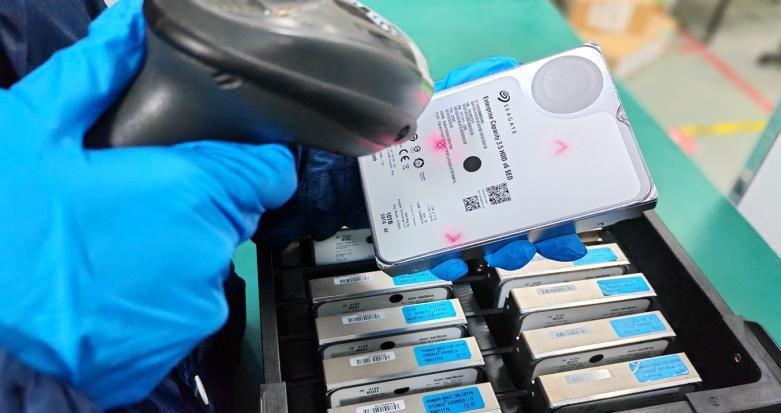
Common Hard Drive Issues
1. Unusual Noises: One of the first signs of a failing hard drive is unusual sounds such as clicking, grinding, or beeping. These noises often indicate mechanical failure or issues with the read/write heads.
2. Slow Performance: If your computer takes longer than usual to boot up or access files, it may be a sign that the hard drive is struggling. This can be caused by bad sectors or fragmentation.
3. Frequent Crashes: If your system crashes frequently or displays the "blue screen of death," it could indicate a problem with the hard drive. This may be due to corrupted files or hardware failure.
4. File Corruption: If you notice that files are becoming corrupted or inaccessible, this could be a sign of a failing hard drive. Corruption can occur due to bad sectors or other issues affecting data integrity.
5. Error Messages: Pay attention to any error messages related to disk failure or file system errors. These messages can provide valuable information about the nature of the problem.
Steps to Diagnose Hard Drive Issues
1. Check Connections
Before diving deeper into diagnostics, ensure that all connections are secure. Loose cables can cause intermittent issues that mimic hard drive failures.
2. Run Diagnostic Tools
Many manufacturers provide diagnostic tools that can help identify issues with your hard drive. Tools like CrystalDiskInfo for Windows or Disk Utility for macOS can provide insights into the health and status of your drive.
3. Listen for Sounds
As mentioned earlier, unusual noises are often a clear indicator of mechanical failure. If you hear clicking or grinding sounds, it’s best to stop using the drive immediately to prevent further damage.
4. Monitor Performance
Keep an eye on how your system performs over time. If you notice consistent slowdowns or crashes, document these occurrences as they may help in diagnosing the issue later.
5. Check for Bad Sectors
Use tools like CHKDSK (Windows) or fsck (Linux) to scan your hard drive for bad sectors. These tools can help identify areas of the disk that are failing and may need repair or replacement.
6. Review SMART Data
Most modern hard drives support SMART (Self-Monitoring, Analysis, and Reporting Technology), which provides data on the drive’s health and performance metrics. Reviewing this data can help predict potential failures before they occur.
When to Seek Professional Help
If you’ve diagnosed an issue but lack the expertise or tools to repair it, it’s advisable to consult professionals like those at HKYK. With years of experience in hard drive repair and refurbishment, HKYK engineers offer solutions that restore value to hard disk drives (HDDs) while extending their lifespan.
Why Choose HKYK?
- Expertise in Repair and Refurbishment: HKYK specializes in restoring HDDs to like-new condition.
- Sustainable Solutions: By refurbishing drives instead of replacing them, HKYK contributes to the circular economy.
- Global Reach: With a presence across The Americas, Europe, Africa, and Asia Pacific, HKYK delivers value through innovative aftermarket device services.
Conclusion
Diagnosing common hard drive issues before attempting repairs is crucial for saving time and preventing further damage. By being vigilant about symptoms and utilizing diagnostic tools, users can identify problems early on. If you encounter significant issues beyond your expertise, consider reaching out to professionals like HKYK for reliable repair and refurbishment solutions.
For more information about our services or assistance with your hard drive needs, contact HKYK today! Let us help you restore your HDDs efficiently and sustainably.
 Spanish
 English
 Arabic
 French
 Portuguese
 Deutsch
 Turkish
 Dutch
Dutch
 Italiano
 Russian
 Romaian
 Portuguese (Brazil)
 Greek
Greek