


How to Renew Go Digit Car Insurance Online in Simple Steps?

Renewing your car insurance on time is very important. If your policy expires, you may lose coverage and benefits like No Claim Bonus. With Go Digit Car Insurance Renewal, the process is simple, quick, and fully online. You do not need to visit any office or deal with paperwork.
In this blog, we will explain how to renew Go Digit car insurance online in simple steps. We will also cover why renewal is important, documents required, benefits of timely renewal, common mistakes to avoid, and useful tips. The language is kept simple so that anyone can understand it clearly.
What Is Go Digit Car Insurance Renewal?
Go Digit Car Insurance Renewal means extending your existing car insurance policy for another year or the chosen period. Renewal ensures that your car remains protected against accidents, theft, natural disasters, and third-party liabilities without any break in coverage.
Go Digit allows policyholders to renew their car insurance online within minutes, making the process smooth and stress-free.
Why Is Timely Car Insurance Renewal Important?
Renewing your policy before the expiry date is very important for several reasons:
- It keeps your car insurance active without any gap
- It helps you retain your No Claim Bonus (NCB)
- It avoids legal penalties for driving without insurance
- It ensures continuous protection for your car
- It saves time and money
A delay in renewal can lead to inspection requirements and higher premiums.
When Should You Renew Go Digit Car Insurance?
You should renew your Go Digit car insurance policy before the expiry date mentioned in your policy document. Most insurers send reminders through SMS or email, but it is always better to check the expiry date yourself.
It is advised to renew at least a few days before the policy expires to avoid last-minute issues.
Documents Required for Go Digit Car Insurance Renewal
One of the best things about Go Digit Car Insurance Renewal is that it requires very few details.
You may need:
- Policy number or vehicle registration number
- Registered mobile number
- Basic car details
No physical documents are required if there is no break in the policy.
How to Renew Go Digit Car Insurance Online?
The online renewal process is simple and user-friendly. Follow these easy steps:
Step 1: Visit the Go Digit Website or App
Go to the official Go Digit website or open the Go Digit mobile app on your phone. Look for the car insurance renewal option.
Step 2: Enter Policy or Vehicle Details
Enter your car registration number or existing policy number. This helps the system fetch your policy details automatically.
Step 3: Review Policy Details
Check your current policy details, such as:
- Coverage type
- IDV (Insured Declared Value)
- Add-ons selected
- Expiry date
Make sure all details are correct before moving ahead.
Step 4: Choose Coverage and Add-Ons
You can modify your policy during renewal. You may:
- Increase or decrease IDV
- Add or remove add-ons like zero depreciation or roadside assistance
- Switch from third-party to comprehensive cover
Choose coverage based on your needs and budget.
Step 5: Check Premium and No Claim Bonus
The system will calculate your premium. If you have not made any claims in the previous policy period, you will get a No Claim Bonus discount.
Step 6: Make Online Payment
Pay the renewal premium using:
- Debit card
- Credit card
- Net banking
- UPI
Once the payment is successful, your policy is renewed instantly.
Step 7: Download Policy Document
After renewal, you will receive the policy document on your registered email. You can also download it from the website or app for future use.
Benefits of Renewing Go Digit Car Insurance Online
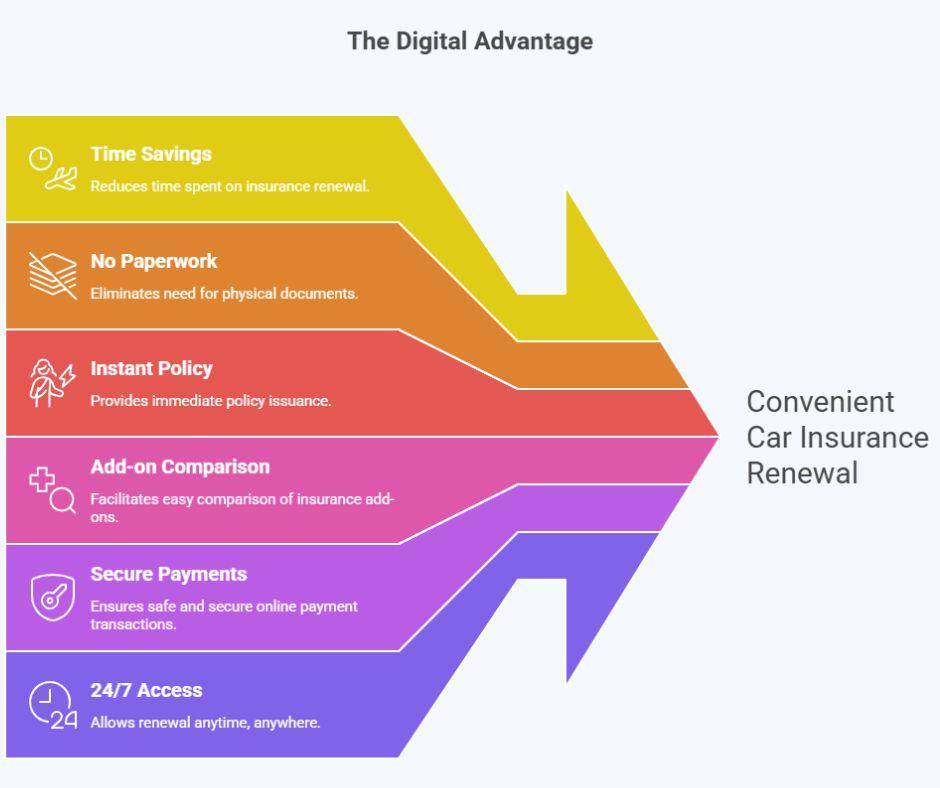
Online renewal offers many advantages:
- Saves time and effort
- No paperwork involved
- Instant policy issuance
- Easy comparison of add-ons
- Secure online payment options
- 24/7 access
These benefits make Go Digit Car Insurance Renewal a convenient option for car owners.
What Happens If You Miss the Renewal Date?
If your policy expires, you may face the following issues:
- Loss of No Claim Bonus
- Higher premium during renewal
- Mandatory vehicle inspection
- No coverage during the gap period
- Legal penalties for driving uninsured
To avoid these problems, always renew on time.
Can You Renew an Expired Go Digit Car Insurance Policy?
Yes, you can renew an expired policy, but the process may take longer. Go Digit may ask for:
- Vehicle inspection
- Updated photos of the car
- Additional premium
Renewing before expiry is always the better option.
Tips to Reduce Premium During Renewal
Here are some simple tips to save money during the Go Digit Car Insurance Renewal:
- Avoid small claims to keep No Claim Bonus
- Choose add-ons carefully
- Maintain your car well
- Renew before policy expiry
- Compare coverage options
These small steps can help you get better value for money.
Common Mistakes to Avoid During Renewal
Many people make small mistakes during renewal. Avoid the following:
- Entering incorrect vehicle details
- Ignoring add-on options
- Delaying renewal until the last day
- Not checking IDV value
- Skipping policy review
Being careful during renewal ensures proper coverage.
Why Choose Go Digit for Car Insurance Renewal?
Go Digit focuses on making insurance simple and transparent. The renewal process is quick, digital, and easy to understand. With flexible coverage options, clear terms, and good customer support, Go Digit makes policy renewal stress-free.
For car owners who prefer online services and quick processes, Go Digit Car Insurance Renewal is a reliable choice.
Conclusion
Renewing your car insurance on time is just as important as buying the policy. With Go Digit, the renewal process is simple, fast, and fully online. By following the steps mentioned above, you can complete your Go Digit Car Insurance Renewal without any hassle.
Always review your policy during renewal and update coverage as per your current needs. A few minutes spent on renewal can help you stay protected and legally compliant throughout the year.
Frequently Asked Questions (FAQs)
Q.1. Can I renew Go Digit car insurance before the expiry date?
Yes, you can renew Go Digit car insurance before the expiry date. Early renewal helps you avoid policy lapse and ensures continuous coverage without any break.
Q.2. Is a Go Digit Car Insurance Renewal possible after policy expiry?
Yes, Go Digit Car Insurance Renewal is possible even after expiry. However, it may require vehicle inspection, and you may lose your No Claim Bonus if there is a long gap.
Q.3. Will my No Claim Bonus continue after renewal?
Yes, if you have not made any claims during the policy period and renew on time, your No Claim Bonus will continue and help reduce your premium.
Q.4. How can SquareInsurance help with Go Digit Car Insurance Renewal?
squareinsurance helps you with Go Digit Car Insurance Renewal by guiding you through the online process, helping you choose the right coverage and add-ons, and ensuring smooth and timely renewal without confusion.
Note
Renewing your car insurance on time is important to keep your vehicle protected and stay legally compliant. Always review your policy details and update coverage during renewal to match your current needs.
To make car insurance purchase and renewal even easier, you can also use our mobile application:
Square Insurance POS – Apps on Google Play
The app allows you to compare car insurance plans, manage renewals, access policy documents, and handle insurance tasks conveniently from your mobile phone.
 Russian
 English
 Arabic
 French
 Spanish
 Portuguese
 Deutsch
 Turkish
 Dutch
Dutch
 Italiano
 Romaian
 Portuguese (Brazil)
 Greek
Greek