


Helldivers 2 Performance Optimization: Settings You Should Adjust
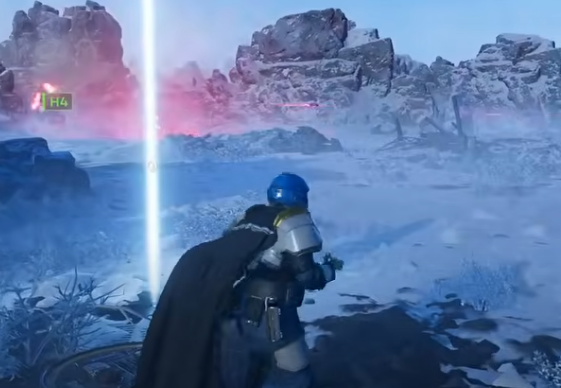
Playing Helldivers 2 can be a thrilling experience, but nothing kills the fun faster than lag spikes, low frame rates, or long load times. If you’ve been wondering how to squeeze every bit of performance out of the game, you’re not alone. Let’s go over some practical adjustments and settings tweaks that can help your game run smoother, all while keeping your experience enjoyable.
Why Does Helldivers 2 Lag Sometimes?
Have you ever noticed your game stuttering when a swarm of enemies appears? This usually happens because the game is rendering too many effects at once. Helldivers 2 is visually rich, with explosions, particle effects, and AI-controlled enemies all on screen. Your hardware might struggle if the settings are too high.
One quick tip I’ve found useful is to prioritize frame rate over ultra-realistic visuals. Reducing some graphical settings doesn’t mean your game will look bad—it just means smoother gameplay. This can make it easier to dodge attacks and survive longer in chaotic battles.
Which Graphics Settings Should I Adjust First?
If you want the biggest performance boost, start with these:
-
Resolution Scaling: Lowering resolution slightly can give a huge FPS improvement without making the game look ugly.
-
Shadow Quality: Shadows are beautiful but expensive. Dropping them from ultra to medium can reduce stuttering.
-
Particle Effects: Explosions, sparks, and smoke can really tank your frame rate. Dialing this down helps especially during big firefights.
-
V-Sync and Frame Rate Cap: Turning V-Sync off and setting a reasonable FPS limit can prevent input lag and screen tearing.
I like experimenting with these settings until I find a balance between performance and visuals. For example, I personally prefer keeping explosions noticeable but shadows moderate—it keeps the action readable without sacrificing the excitement.
Are There Other In-Game Settings That Affect Performance?
Absolutely. Don’t forget the smaller tweaks in the menu:
-
Texture Quality: If your GPU has limited VRAM, lowering textures can prevent stuttering when new areas load.
-
Anti-Aliasing: Turning this down can help if your FPS dips in large open areas.
-
Post-Processing Effects: Bloom, motion blur, and depth of field are nice but not necessary. Turning them off can make your game feel more responsive.
Here’s a tip I’ve picked up from other players: sometimes lowering these “extra” effects doesn’t just boost performance—it also helps you spot enemies faster during chaotic missions.
Can I Do Anything Outside the Game to Improve Performance?
Yes! Performance isn’t just about the in-game menu.
-
Update Drivers: Keep your GPU drivers up to date. This can improve frame rates and stability.
-
Background Apps: Close unnecessary programs, especially those using CPU or GPU.
-
Game Mode: Windows’ Game Mode or similar tools can prioritize Helldivers 2.
For players who also want to level up quickly while maintaining smooth gameplay, some choose to buy helldivers 2 super credits. This allows them to unlock equipment and upgrades faster without grinding, freeing up more time to enjoy the action without worrying about slow progression.
What About Network-Related Performance?
Lag isn’t always your computer—it can be your connection. Helldivers 2 relies on smooth online play, so:
-
Use a wired connection if possible. Wi-Fi can be unstable.
-
Check server region settings to minimize ping.
-
Avoid heavy downloads while playing.
A stable connection ensures that the frame rate improvements you’ve made in-game aren’t wasted on network lag. Smooth gameplay plus low latency equals more satisfying missions.
Are There Safe Ways to Get Resources Faster?
Sometimes, despite optimizing performance, you might still want a shortcut to progress faster. Many players look to U4GM to buy helldivers 2 medals safe from U4GM. This can help you unlock new items and upgrades without spending hours grinding, which is especially useful if your system is already stretched thin and you don’t want to risk lag-induced mistakes during difficult missions.
Any Final Tips for a Smooth Experience?
Here are a few last suggestions that I’ve found personally helpful:
-
Regularly restart the game and your PC to clear memory.
-
Experiment with one setting at a time to see its impact.
-
If you’re struggling with large-scale battles, temporarily lower graphics to maintain responsiveness.
Performance optimization isn’t a one-time fix—it’s an ongoing process. But once you find the right balance, Helldivers 2 becomes much more enjoyable, responsive, and visually satisfying.
This guide should help both new and returning divers make the game run smoothly without sacrificing fun. Remember, small adjustments often make the biggest difference, and pairing them with smart progression choices—like using super credits or medals—can enhance your overall experience.
Advanced Walkthrough: Helldivers 2 R-63 Diligence Guide: Best Builds & Uses
 French
 English
 Arabic
 Spanish
 Portuguese
 Deutsch
 Turkish
 Dutch
Dutch
 Italiano
 Russian
 Romaian
 Portuguese (Brazil)
 Greek
Greek