


How to Play Diablo 4 More Smoothly

I must give high marks to Diablo 4's fourth season. Whether it’s the changes in class balance, item modifications, or system usability improvements, everything is just fantastic! This is why the number of online players has reached its peak this season, and you can also see a lot of new players joining in.
Unlike previous installments in the series, Diablo 4 is more like an MMORPG. No, it actually is an MMORPG, requiring constant internet connectivity. This means your gaming experience can be significantly affected by your network status. Many players have reported experiencing lag and stuttering, clearly caused by network latency. So, in this article, we'll share how you can play Diablo 4 more smoothly.
Why Does Diablo 4 Lag?
There are many reasons why Diablo 4 might lag. You might experience character rubberbanding, unresponsive attacks, or out-of-sync character movements and actions. The primary causes of lag in Diablo 4 include:
- Network Congestion: High traffic on your local network or ISP can cause lag.
- Server Load: Overloaded Diablo 4 servers can result in poor performance.
- Geographical Distance: The farther you are from the game server, the higher your latency.
- Hardware Issues: Outdated or malfunctioning hardware can also contribute to lag.
- Software Conflicts: Background applications consuming significant network or CPU resources can impact game performance.
How to Resolve Diablo 4 Lag
Before you address your network issues, it's crucial to check the Diablo 4 server status. Often, even if the servers aren't down, they might be congested, which is a significant factor causing in-game lag.
After confirming the server status, you should consider using a Diablo 4 game VPN to optimize your network. GearUP Booster is a highly specialized game network optimization tool. Its unique technology adapts to server nodes in over 150 countries and regions to find the best data transmission routes. This effectively bypasses network congestion and peak fluctuations, ensuring stable data delivery to the server, and thereby significantly reducing ping and latency in Diablo 4. It also minimizes packet loss, enhancing overall game smoothness.
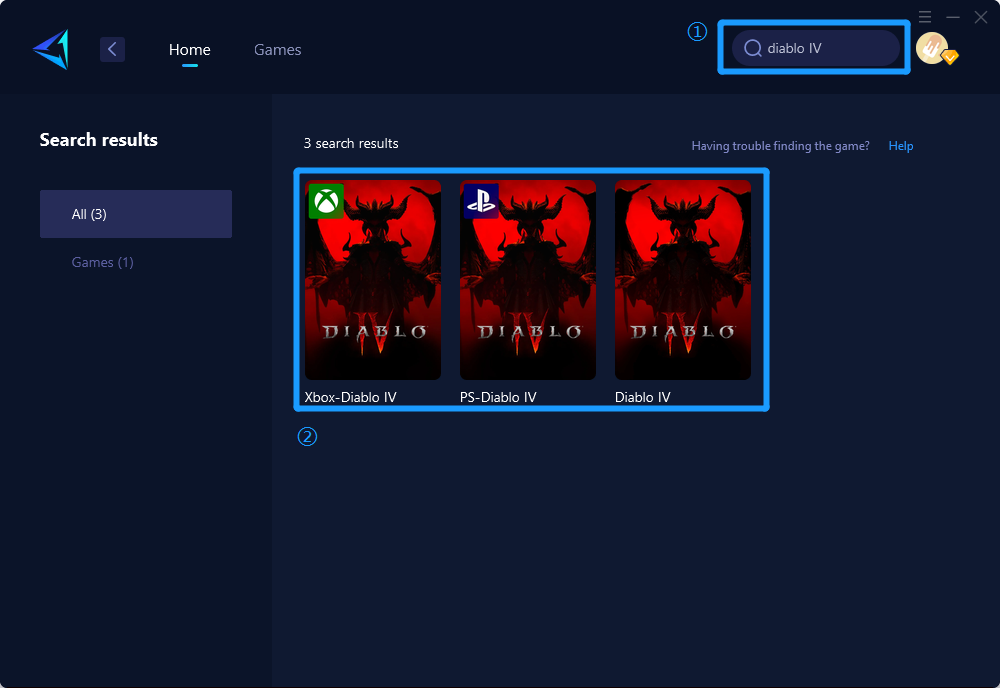
Using GearUP Booster is very straightforward and doesn't require any network knowledge. Just follow a few steps to select the best server and node, and you’re good to go.
Get 10% off with code: 66X5KVX
Other Methods to Improve Diablo 4 Smoothness
Here are three additional ways to improve your Diablo 4 gaming experience:
Optimize Your Internet Connection:
- Ensure you have a wired connection instead of Wi-Fi to reduce interference.
- Close any background applications that might be consuming bandwidth.
- Consider upgrading your internet plan for higher speeds.
Update Your Network Hardware:
- Use a modern router and modem capable of handling high-speed internet.
- Regularly update the firmware of your networking devices to ensure they are performing optimally.
- Position your router in a central location to avoid weak signal areas.
In-Game Settings Adjustments:
- Lower the game’s video settings to reduce the load on your GPU and CPU.
- Turn off background processes and applications that could hamper game performance.
- Use the in-game network diagnostics tools to identify and troubleshoot connectivity issues.
Conclusion
To play Diablo 4 more smoothly, start by checking the Diablo 4 server status. This simple step can save you a lot of time and frustration. If the servers are congested or down, consider using GearUP Booster to optimize your network connection. Additionally, follow the other tips to ensure you have the best possible gaming experience. Have any other tips or solutions? Share them in the comments below.
 Portuguese
 English
 Arabic
 French
 Spanish
 Deutsch
 Turkish
 Dutch
Dutch
 Italiano
 Russian
 Romaian
 Portuguese (Brazil)
 Greek
Greek