


How to Play Android Games on Macbook with MuMuPlayer Pro
Why do you need this?
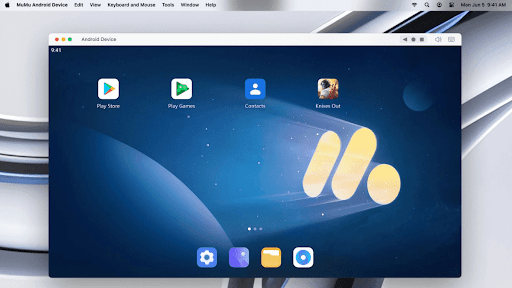
Have you ever imagined what it would be like if you could play your favorite Android games on your macbook? Or how amazing it will be if you could play them with your customized mechanical keyboard, or even your DualSense controller! With MuMuPlayer Pro and this tutorial, you can easily make these dreams come true at once.
MuMuPlayer Pro is a Mac-compatible Android emulator specifically designed for mobile gamers, tailored for macOS and is the first to adapt to the Apple Silicon Mac. It allows users to experience mainstream mobile games and applications on a large screen on Mac, providing a smooth gaming experience of up to 240 frames per second. Its diverse functions, such as multi-instance operation and intelligent keyboard and mouse controls, cater to various gaming needs, making gaming effortlessly enjoyable.
You can get excited from now on! Because in a fingersnap, there's nothing in between you and your favorite Android game!
How do you play Android games on Macbook with MuMuPlayer Pro?
As we've mentioned, MuMuPlayer Pro is an excellent choice for you whenever you want to play a Android game on your macbook. To get started, you just need to:
1. First, click on the "try free" button on our official website to install MuMuPlayer Pro while getting a 7-day free trial. You will be downloading a dmg installer file.
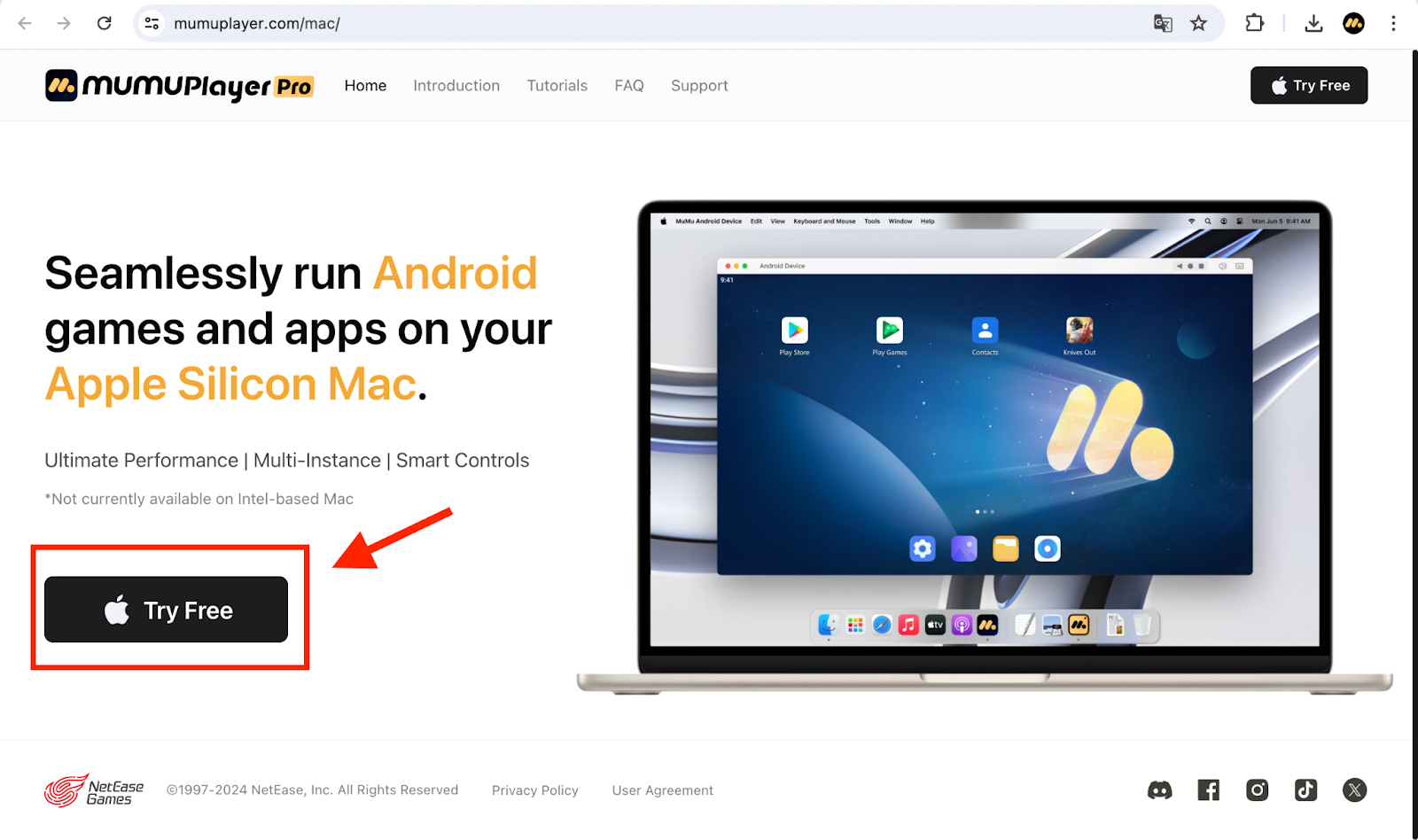
2. Install and launch MuMuPlayer Pro.
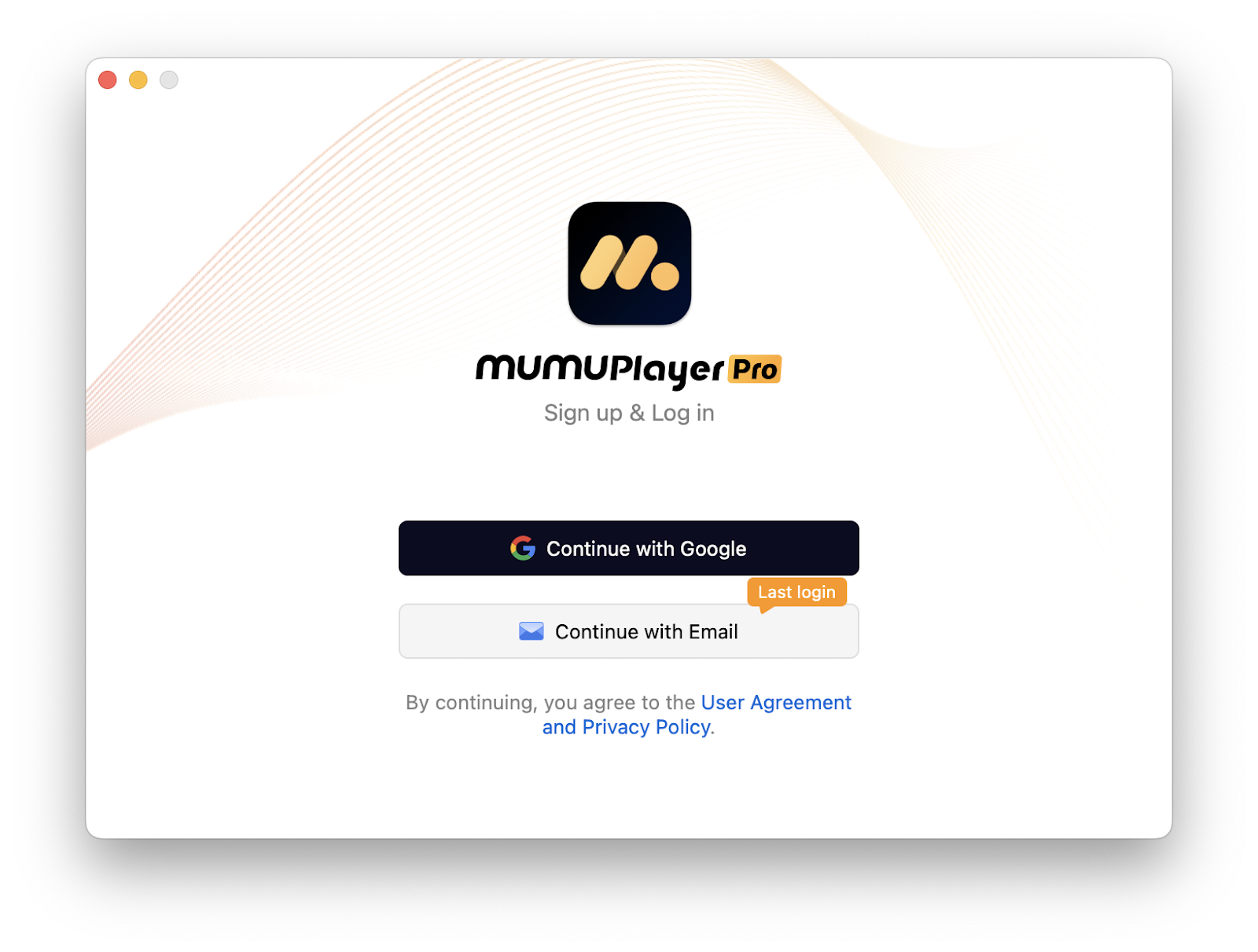
3. Register and log in MuMuPlayer Pro.
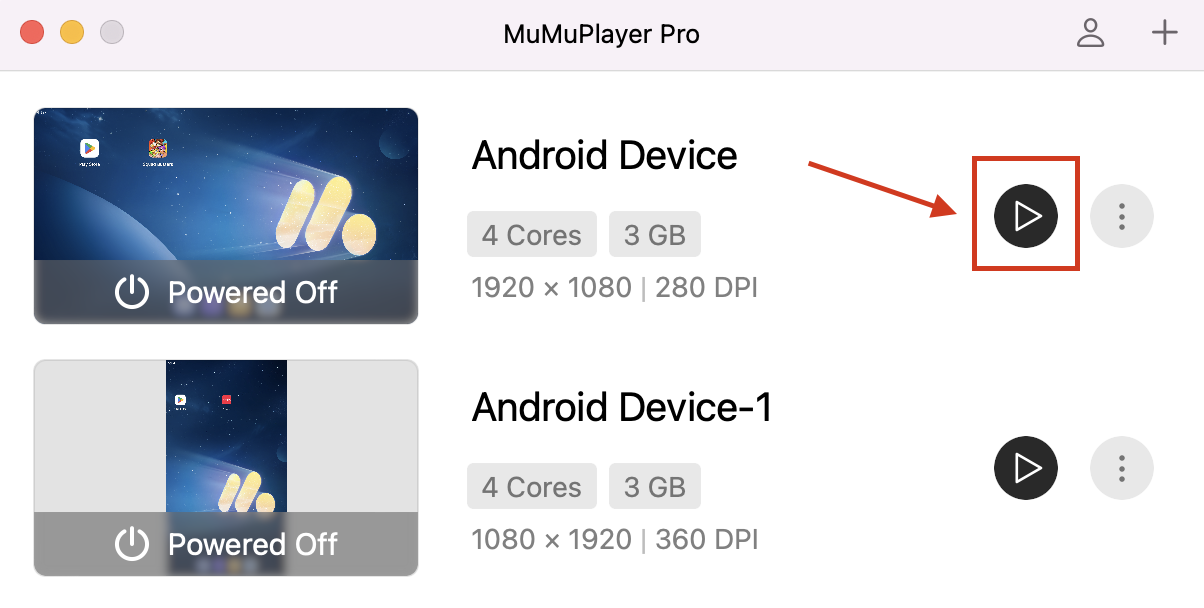
4. Start an Android Device.
5. Search the game you want to play in the Play Store. For example, here I type "harry potter magic awakened". (We have already downloaded Google Play Store in MuMuPlayer Pro for you so you don't have to download it by yourself.)

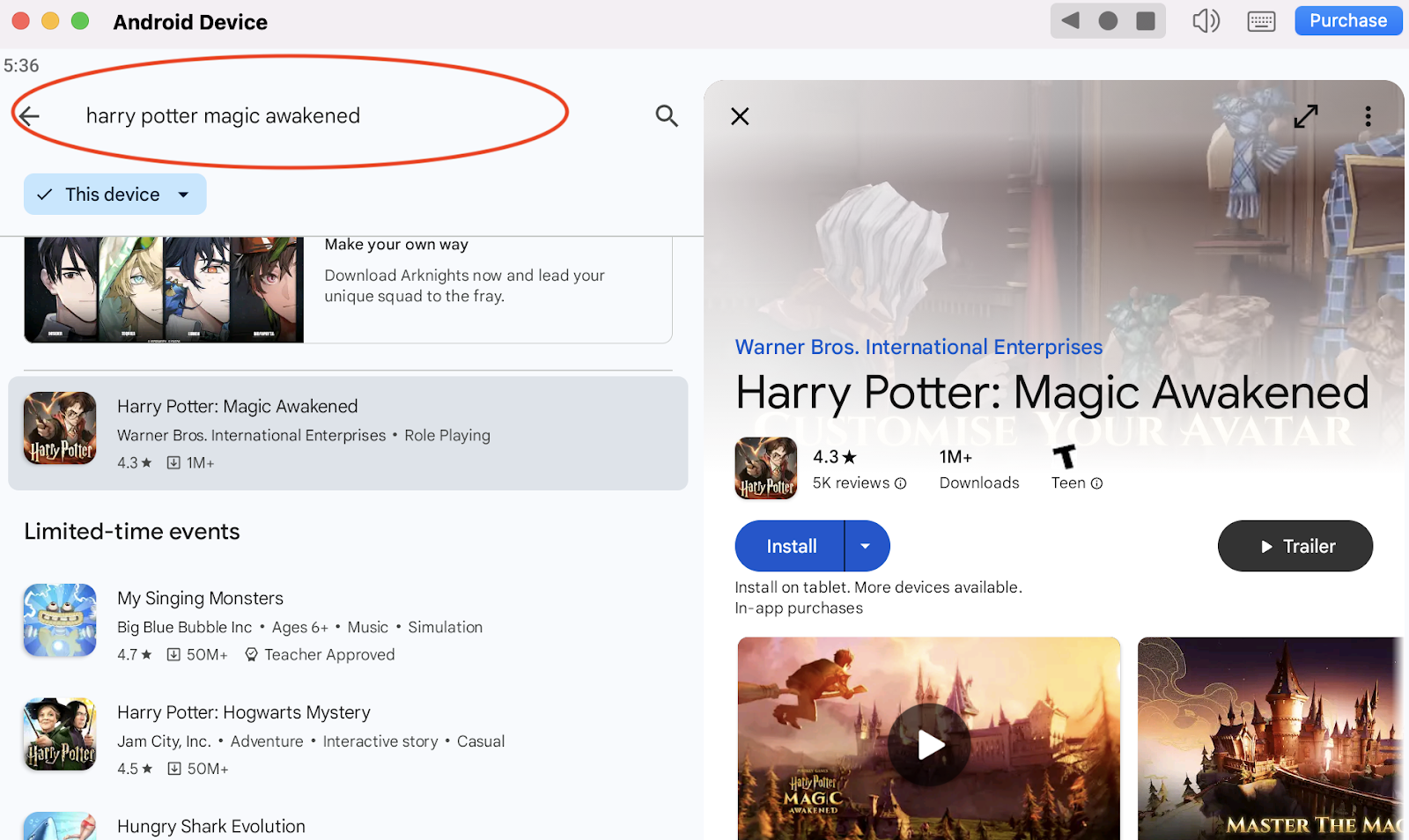
6. Click to install the game from the search results.

7. If you can't find the game you wish to play, we have an alternative function for you: Install APK. First, download the installer file(.apk) on your macbook. Then, go to our MuMuPlayer Pro, and click on the top menu bar (Tools→Install APK) to install the game you want to play.
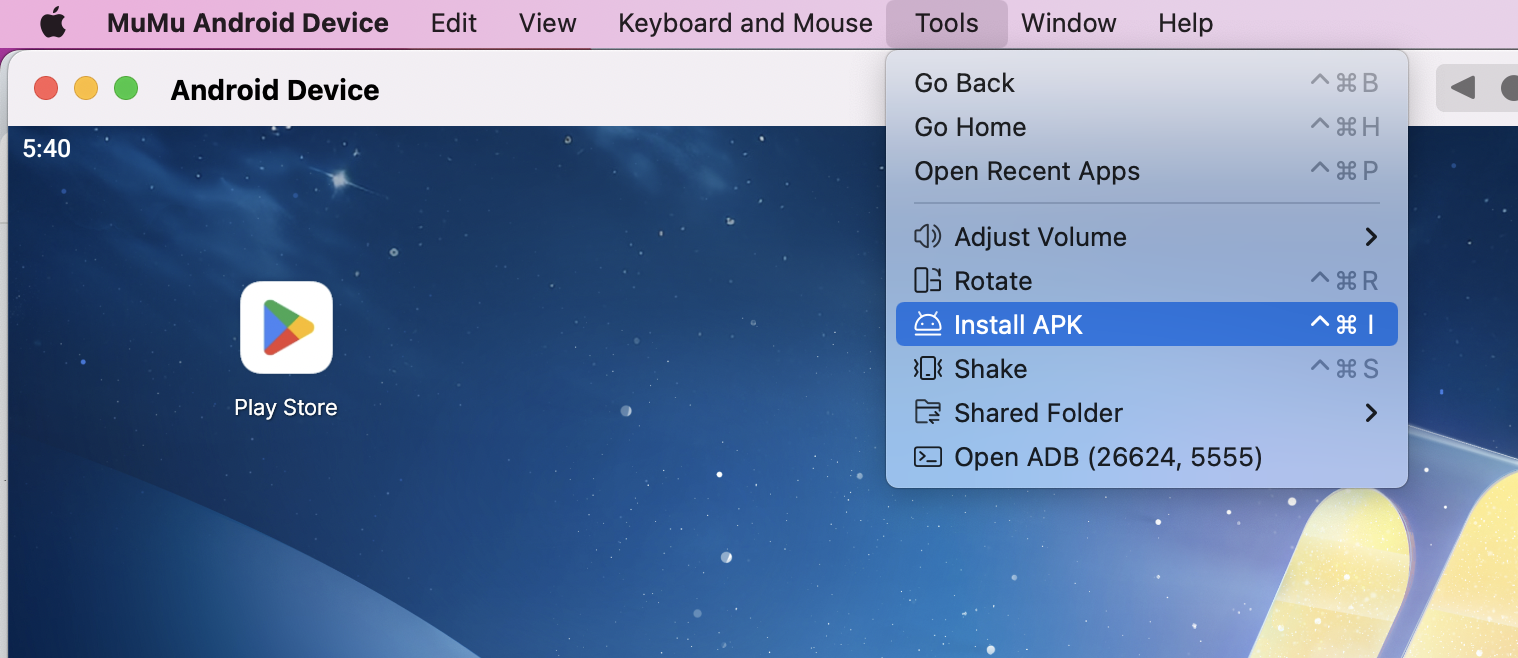
What if you couldn't find any apk files for that game? We also encourage you to install the game with the known apps that support apk installation!
8. After you have successfully installed the game you like, you can click on its icon to start playing.

After you've done these steps which only take a few minutes to complete, you'll be enjoying the game you like on a Mac with the best controls, graphics, performance and other brilliant functions provided by MuMuPlayer Pro.
Explore more features and setup instructions on our FAQ page.
 Turkish
 English
 Arabic
 French
 Spanish
 Portuguese
 Deutsch
 Dutch
Dutch
 Italiano
 Russian
 Romaian
 Portuguese (Brazil)
 Greek
Greek