


How to Use the “Hold” and “Run” Settings on a Honeywell Thermostat
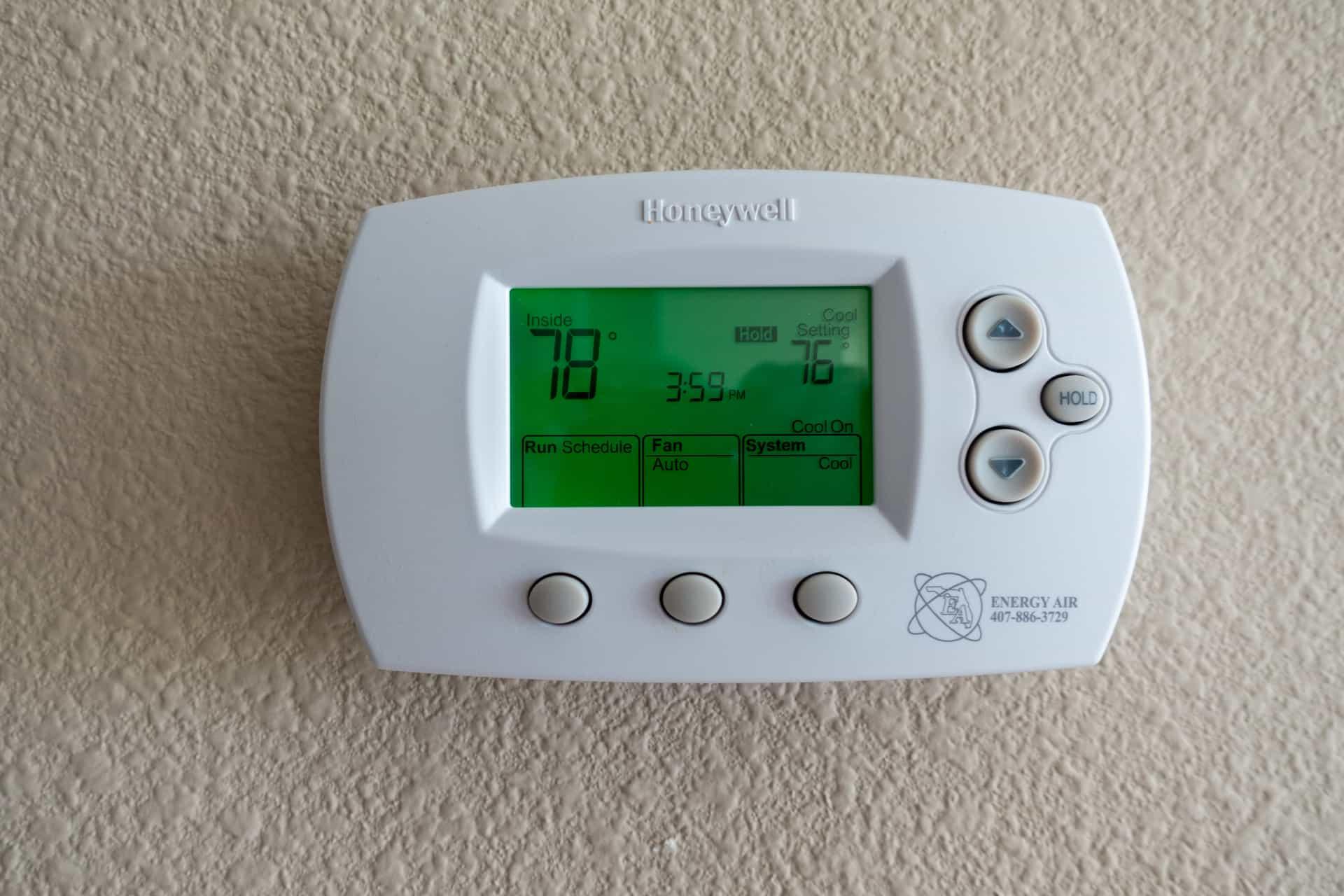
If you're using a Honeywell thermostat, understanding the “Hold” and “Run” functions is essential for maintaining indoor comfort and improving energy efficiency. These features allow you to either stick to your programmed schedule or temporarily override it based on your needs.
What Does “Hold” Mean on a Honeywell Thermostat?
The “Hold” setting lets you manually lock in a specific temperature. Once activated, your Honeywell thermostat will maintain that temperature continuously—ignoring any scheduled programming—until you cancel the hold.
This option is ideal for:
-
Vacations or extended time away – Set an energy-saving temperature while you're not home.
-
Unusual weather conditions – Maintain comfort during extreme heat or cold.
-
Special occasions – Keep your home consistently comfortable for guests or events.
What Is the Purpose of the “Run” Button?
The “Run” button reactivates your pre-programmed schedule. When selected, your Honeywell thermostat will return to the automatic temperature changes you’ve set for different times of day or days of the week—like lowering the heat at night or cooling the house before you get home from work.
When Should You Use Each Setting?
-
Use “Hold” when you need to maintain one constant temperature for a longer period.
-
Use “Run” to resume your normal programmed temperature schedule.
Can “Hold” Help Save Energy?
Yes, using the “Hold” feature on your Honeywell thermostat can save energy—especially when you're away from home. Setting your thermostat to a more energy-efficient temperature during absences reduces the strain on your HVAC system and can lower your utility bills. Just don’t forget to switch back to “Run” when your schedule returns to normal.
How to Set a Schedule on Your Honeywell Thermostat
-
Press the “Program” or “Schedule” button.
-
Set your preferred temperatures for different times of day.
-
Adjust settings for weekdays and weekends if your model allows.
-
Press “Run” to begin following the new schedule.
If your Honeywell thermostat screen is blank, it may need new batteries or a reset.
Why You Should Cancel “Hold” After Use
Leaving your thermostat on “Hold” for too long can lead to unnecessary energy use and higher bills. Always switch back to “Run” once you're ready to follow your regular schedule again.
Final Thoughts
Knowing how to properly use the “Hold” and “Run” functions on your Honeywell thermostat can make your home more comfortable and energy efficient. Use “Hold” for temporary changes and “Run” to stick to your programmed settings.
If you're considering upgrading to a smart Honeywell thermostat or need HVAC service in the Wauconda, IL area, Gleason Heating and Air Conditioning is here to help. We provide expert installation, repairs, and maintenance across the Northern Chicago suburbs. Contact us today for reliable service and a free estimate
 French
 English
 Arabic
 Spanish
 Portuguese
 Deutsch
 Turkish
 Dutch
Dutch
 Italiano
 Russian
 Romaian
 Portuguese (Brazil)
 Greek
Greek