


How to Use a Metallurgical Microscope?
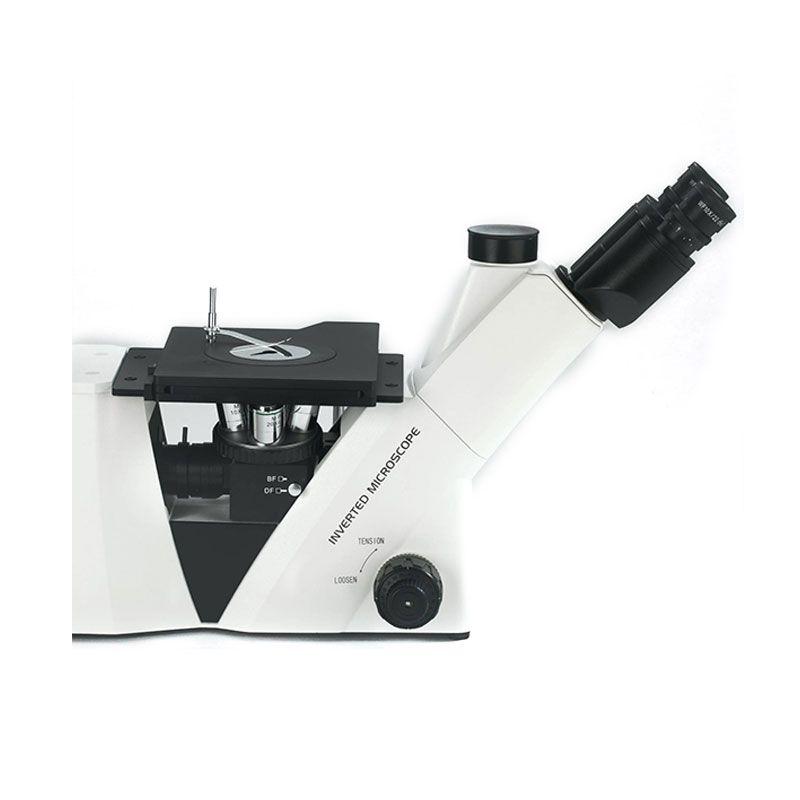
Prepare the Specimen
l Cleaning: Thoroughly clean the specimen to remove any dirt, grease, or other contaminants that may obscure the surface. This can be done with appropriate solvents and cleaning techniques.
l Mounting: Mount the specimen securely on the microscope stage using clips or other suitable methods. Ensure the surface of interest is facing upwards.
Adjust the Illumination
l Turn on the Light Source: Switch on the microscope's light source.
l Adjust Intensity: Adjust the intensity of the light source to a comfortable level.
l Focus the Light: Use the condenser controls to focus the light beam onto the specimen.
Select the Objective Lens
l Start with Low Magnification: Begin with the lowest magnification objective lens (e.g., 4x or 10x) to get an overview of the specimen.
l Rotate the Nosepiece: Rotate the nosepiece to select the desired objective lens.
Focus the Specimen
l Coarse Focus: Use the coarse focus knob to bring the specimen into approximate focus.
l Fine Focus: Use the fine focus knob to sharpen the image and bring it into clear focus.
Adjust the Illumination and Contrast
l Aperture Diaphragm: Adjust the aperture diaphragm to control the amount of light entering the objective lens. Closing the diaphragm slightly can improve contrast and resolution.
l Filters: Use appropriate filters (e.g., blue, green) to enhance contrast and visibility of specific features.
Examine the Specimen
l Observe the specimen carefully, noting any features of interest such as grain boundaries, inclusions, or surface defects.
l Use higher magnification objectives (e.g., 40x, 100x) to examine specific areas in more detail.
Record Observations
l Document your observations using sketches, photographs, or digital images.
l Record relevant information such as magnification, lighting conditions, and any special techniques used.
Clean Up
l Turn off the light source and unplug the microscope.
l Clean the stage and any other parts that may have come into contact with the specimen.
There is a guide about How to Adjust the Condenser for the Microscope you might also want to get.
 French
 English
 Arabic
 Spanish
 Portuguese
 Deutsch
 Turkish
 Dutch
Dutch
 Italiano
 Russian
 Romaian
 Portuguese (Brazil)
 Greek
Greek